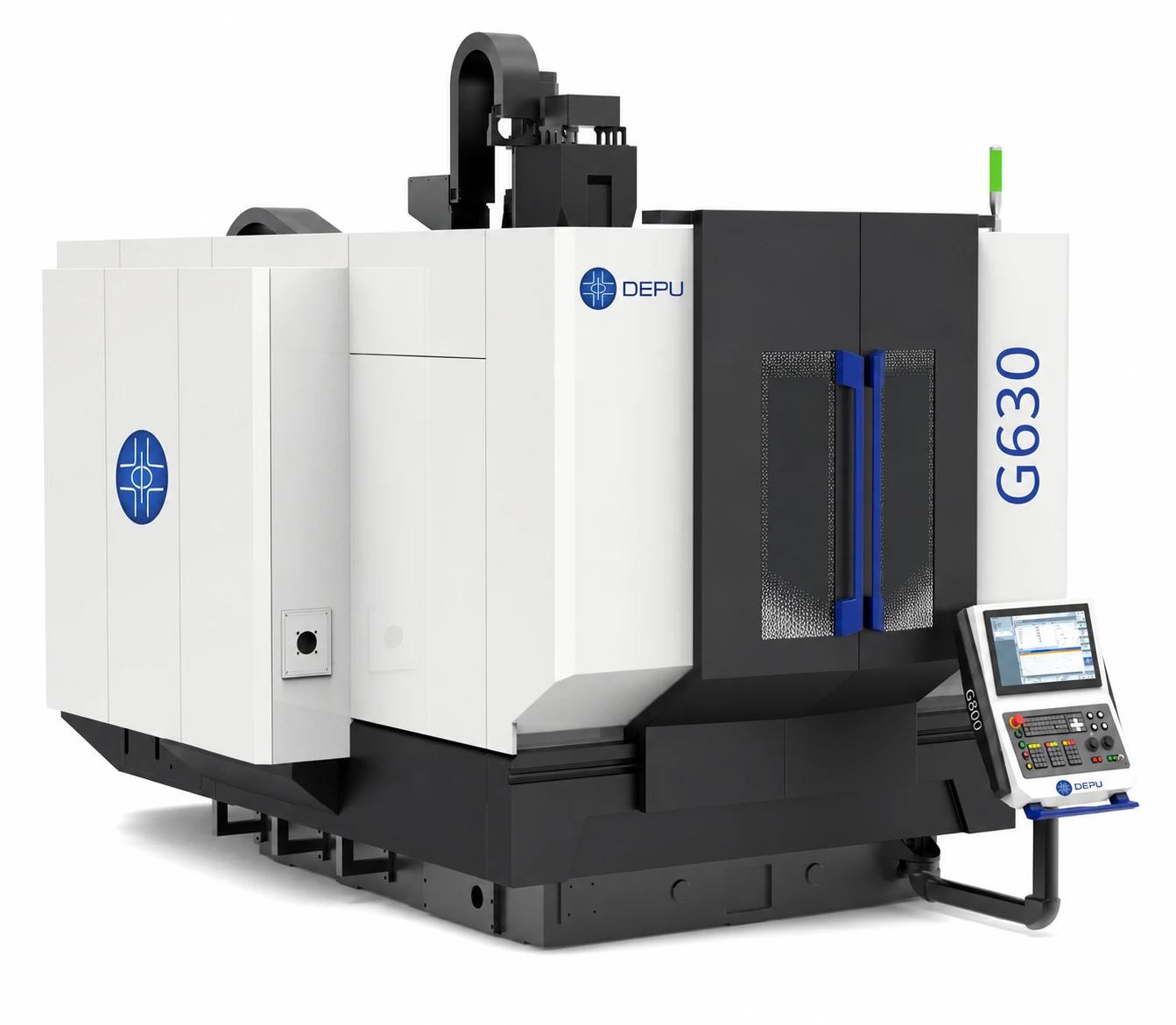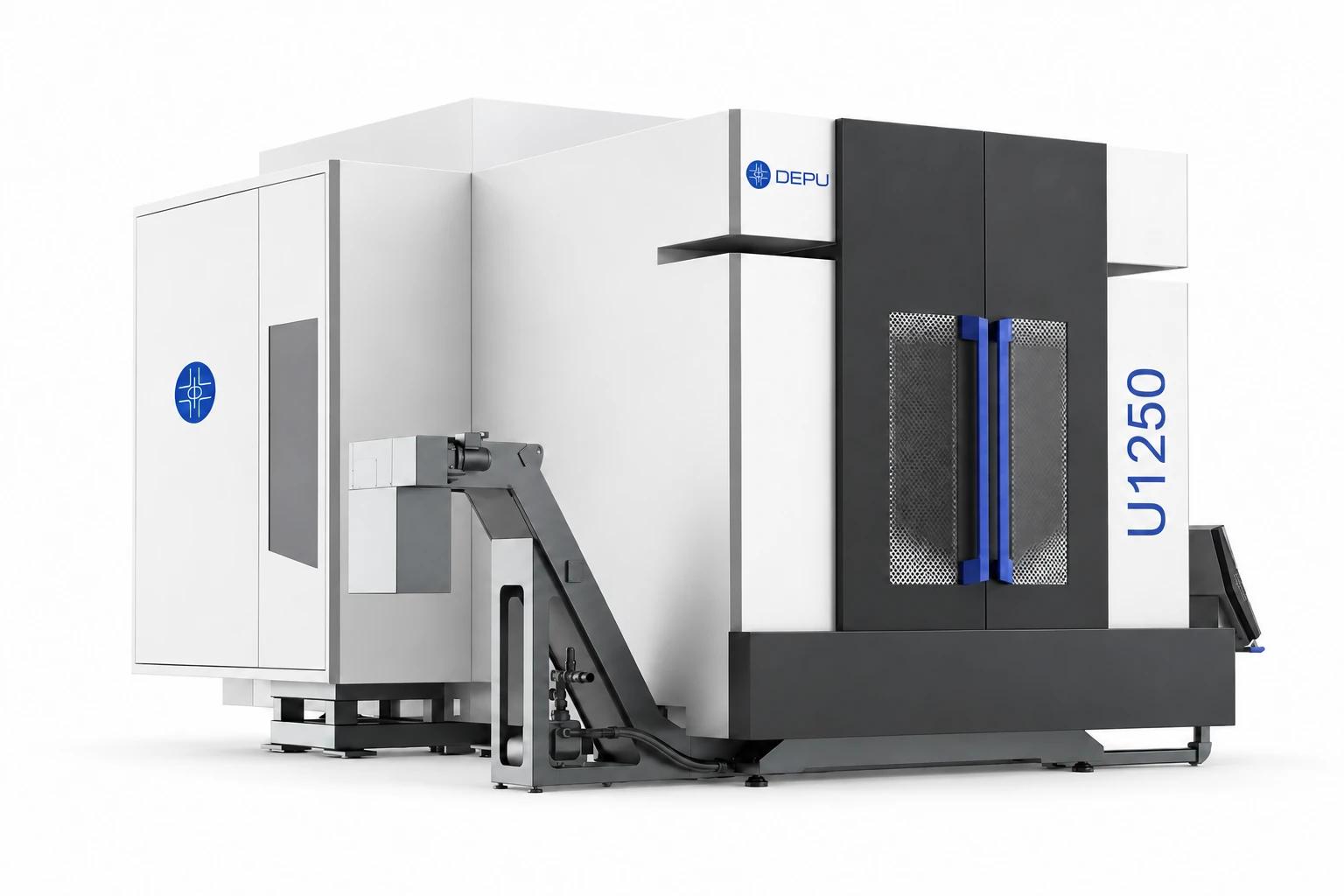

The best CNC machines for small shops in 2026 are not necessarily the biggest or most expensive. You need to match the machine to your materials, part dimensions, available space, budget, and experience. The best entry-level CNC machine for beginners in the US may be a relatively affordable desktop router, while a small business making precision metal components may need a more rigid milling platform.
If you’re looking for the best CNC router machine for a home shop, start by deciding whether you need a router, a desktop mill, or a true five-axis machining center. These machines may all use computer numerical control, but they are built for different jobs—and choosing the wrong type can cost you more than buying the right machine in the first place.
The Best CNC Machines for Home Use in 2026
There isn’t one CNC machine that makes sense for every home shop. A machine that works well for woodworking may struggle with demanding metal-cutting jobs. A compact desktop mill may produce detailed metal parts but lack the cutting area needed for cabinets or large signs.
Here are several machines worth considering, organized by the type of work they are designed to handle.
1. Carbide 3D Shapeoko 5.1 Pro — Best All-Around CNC Router for a Home Shop
The Shapeoko 5.1 Pro is a good starting point if you want a capable router for regular woodworking and small-shop projects. It uses hardened linear rails and ball screws, and Carbide 3D offers multiple machine sizes, including a compact 2 × 2 configuration.
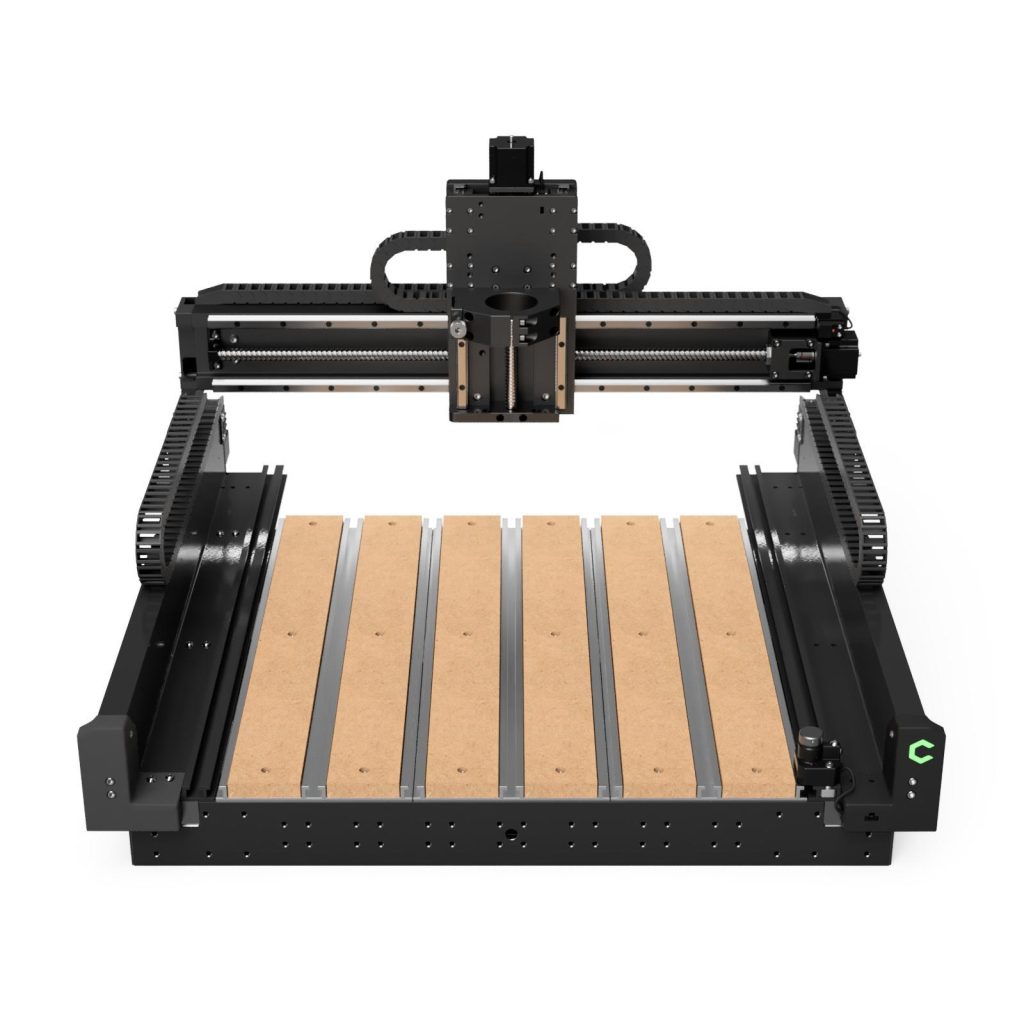
You can use a router-based CNC like this for:
-
Wooden signs and decorative panels
-
Furniture components and cabinet parts
-
Engraving and relief carving
-
Plastic parts and templates
-
Light aluminum machining with an appropriate setup
One advantage is the broader ecosystem around the machine. Carbide 3D provides its own software, training, and US-based support. That can make the learning process easier if you are new to CNC and don’t want to assemble a system from unrelated hardware and software.
Where it falls short: A router is not a substitute for an industrial metal-cutting mill. Its open-frame design also means you need to plan for dust collection, noise, and chip management. If you regularly machine steel or need tight tolerances on demanding metal parts, look at a purpose-built CNC mill instead.
Carbide 3D lists the Shapeoko 5.1 Pro and its smaller 2 × 2 version in its official store. Prices and configurations can change, so check the current options before buying.
2. DEPU GM130 — Best for Compact, Complex Five-Axis Micro-Machining
The DEPU GM130 is not a conventional hobby CNC router. It is a compact five-axis micro machining center designed for small, complex workpieces that require multi-sided or simultaneous five-axis machining.
Unlike a standard three-axis router, the GM130 combines linear movement with a dual-axis rotary table. This allows the machine to approach a workpiece from multiple directions and machine complex geometries with fewer setups.
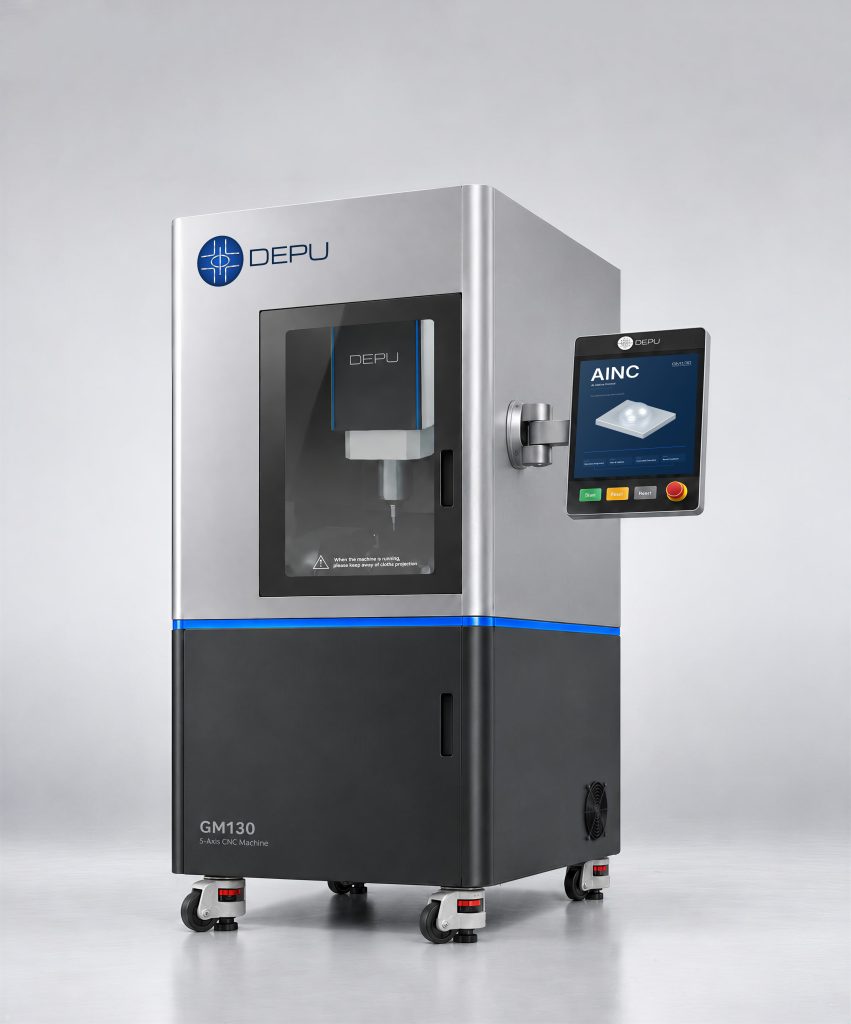
According to DEPU’s current product specifications, the GM130 offers:
-
True simultaneous five-axis machining
-
X/Y/Z travel of 300/140/140 mm
-
Maximum workpiece size of Ø130 × 120 mm
-
Maximum reference spindle speed of 24,000 rpm
-
Positioning accuracy of ±0.008 mm
-
Repeatability of ±0.005 mm
-
A six-station automatic tool changer
-
A compact machine footprint of 860 × 1,104 × 1,064 mm in the listed reference configuration
The machine is intended for small precision applications such as custom keycaps, precision metal parts, watch components, medical-related parts, prototypes, and other complex small workpieces. Its compact size can make it relevant to a dedicated home workshop, product development space, technical training facility, or small manufacturing operation.
Where it falls short: The GM130 is not designed to replace a large CNC router for cutting full-size wood sheets, nor is it a general-purpose production mill for large or heavy metal parts. Its maximum workpiece size and table load are limited, so you need to confirm that your parts fit the machine’s working envelope and weight capacity.
If you are considering it for a home-based business, evaluate the actual part geometry, material, required tolerance, tooling, power, and installation conditions before making a decision. A five-axis machine is worthwhile only when its additional capabilities solve a real machining problem.
3. Carbide 3D Nomad 4 — Best for Compact Desktop CNC Work
If floor space is your biggest limitation, a desktop CNC may be a better fit than a full-size router. The Nomad series is designed around a smaller work envelope and a more self-contained desktop format.
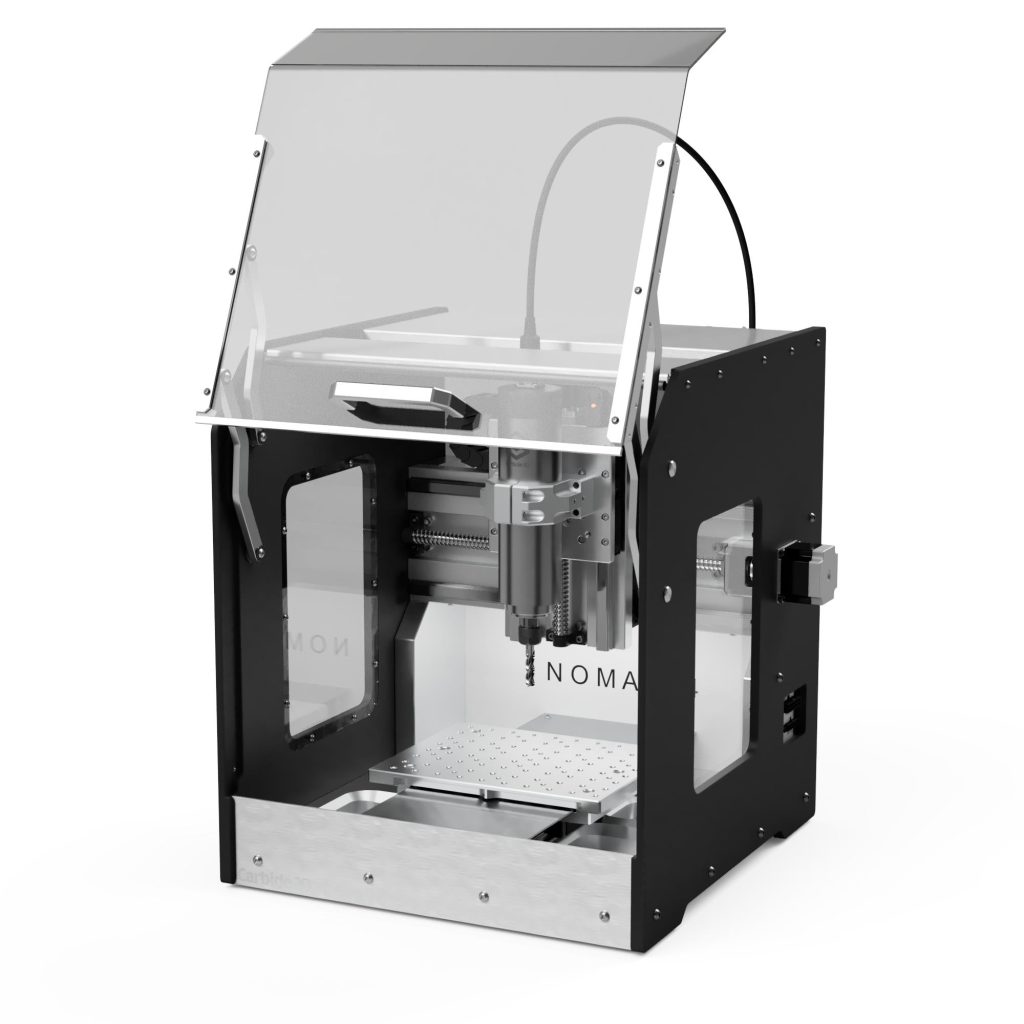
A compact desktop machine is useful for:
-
Small engraved parts
-
Prototypes and model components
-
Small woodworking projects
-
Detailed work that does not require a large cutting area
The trade-off is straightforward: you gain a smaller footprint, but you give up the ability to machine large panels or bulky workpieces. Before choosing a desktop CNC, check the usable work area rather than judging the machine by its external dimensions.
Where it falls short: A compact desktop machine is not automatically suitable for every metalworking task. Check the manufacturer’s approved materials, spindle capabilities, tooling requirements, and recommended cutting conditions for the specific model.
4. Genmitsu 3018-Class CNC Router — Best Entry Point for Beginners on a Tight Budget
A small 3018-style CNC router can be a practical way to learn the basics without investing in a large machine. These compact routers are commonly used for engraving, small signs, PCB work, and light-duty projects.
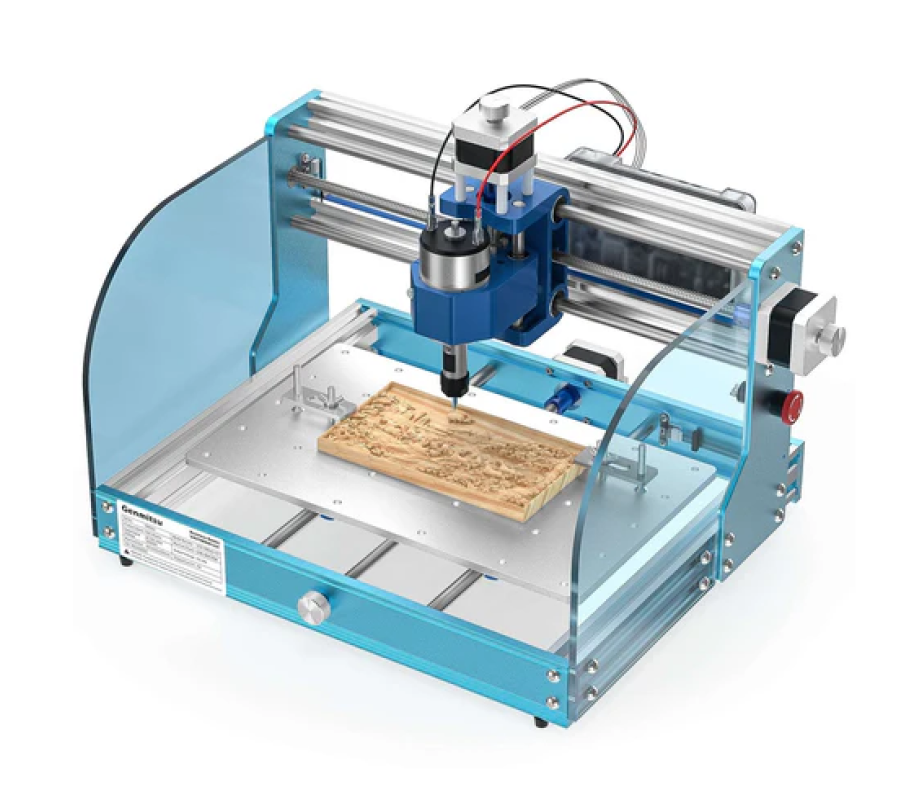
They can help you learn essential CNC skills, including:
-
Creating or importing CAD designs
-
Generating CAM toolpaths
-
Setting work coordinates and tool zero
-
Choosing cutting tools
-
Adjusting feeds and speeds
-
Securing workpieces before machining
For a beginner, the learning value can be more important than the machine’s cutting speed. A small machine gives you a manageable way to understand the complete workflow before moving to a larger platform.
Where it falls short: Entry-level machines have limited rigidity, work area, and cutting capability. Don’t assume that a machine capable of engraving aluminum can handle demanding aluminum milling, much less regular steel machining. A low purchase price also does not guarantee that the machine includes every accessory, tool, clamp, or software feature you need.
5. Tormach PCNC 440 — Best for a Small Shop That Needs a Real CNC Mill
A CNC mill is a better choice when your work involves metal parts, fixtures, mechanical components, or prototypes that need more controlled material removal than a typical router can provide.
The Tormach PCNC 440 is a compact CNC milling machine designed for smaller workshops, education, and light machining applications. Tormach lists a 10 × 6.25 × 10-inch work envelope, a 10,000-rpm spindle, and single-phase 115V power for the machine.
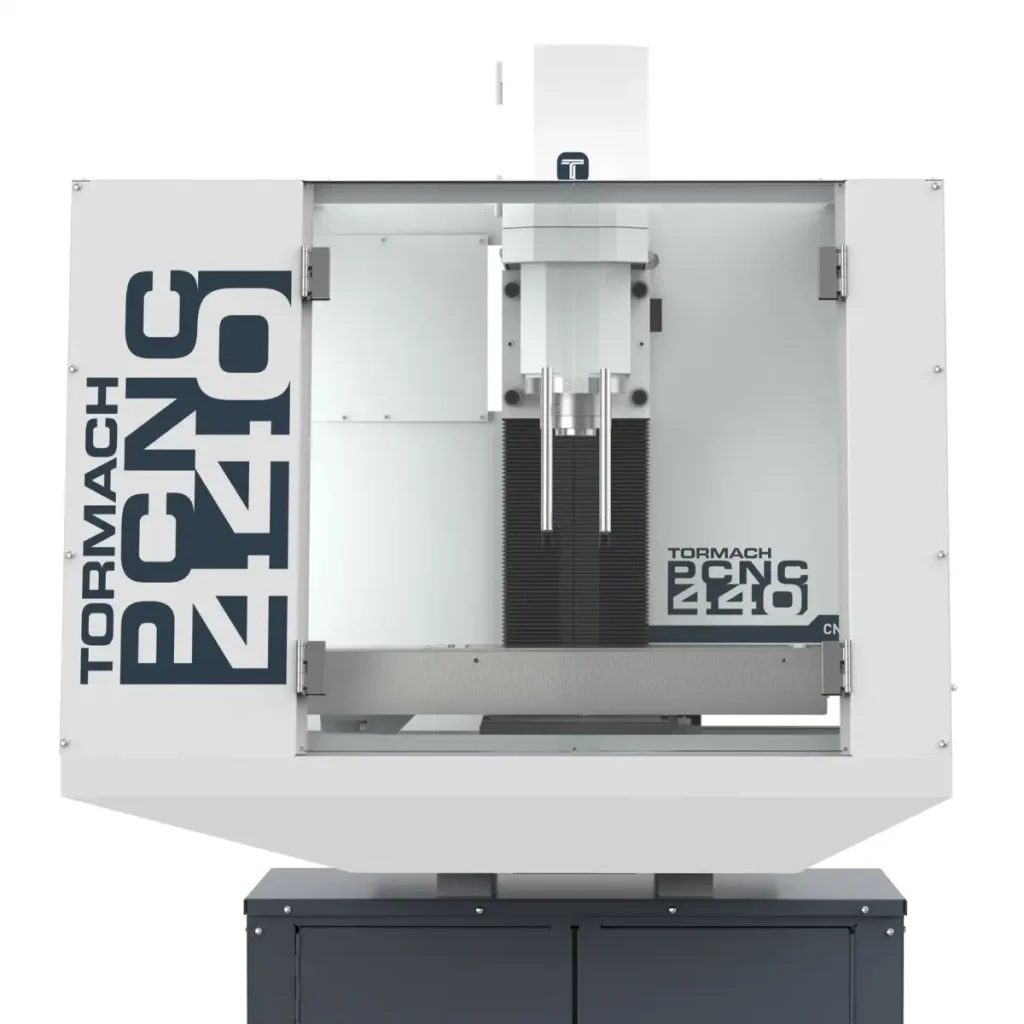
This type of machine makes more sense if you plan to work with:
-
Aluminum components
-
Small mechanical parts
-
Fixtures and brackets
-
Prototypes that require milling operations
-
Training projects involving metal machining
Where it falls short: The PCNC 440 has a much smaller work envelope than a full-size vertical machining center. You also need to budget for workholding, cutting tools, measuring equipment, and the space and setup required for safe operation. Its compact size does not make it a plug-and-play household appliance.
CNC Router vs. Desktop CNC Mill vs. Five-Axis CNC: Which One Do You Need?
One of the most common mistakes when shopping for a home CNC machine is comparing machines that are designed for different kinds of work.
A CNC router, a desktop mill, and a five-axis machining center may all cut material, but their mechanical designs and intended applications are not interchangeable.
| Machine type | Best suited to | Main advantage | Main limitation |
|---|---|---|---|
| CNC router | Wood, plastics, signs, panels, light aluminum work | Larger work area for the cost | Less suitable for demanding metal cutting |
| Desktop CNC mill | Small metal parts, prototypes, precision engraving | More appropriate for controlled milling of small parts | Limited work envelope |
| Three-axis CNC mill | Metal components and conventional milling operations | Rigid machining platform for many part types | Multiple setups may be needed for complex geometry |
| Five-axis CNC machine | Complex parts, angled features, multi-sided machining | Can reach more surfaces with fewer setups | Higher cost and more demanding programming |
Swipe to compare →
When a CNC Router Makes More Sense
Choose a router if most of your work involves flat stock, wood panels, signs, furniture components, or plastic sheets. The larger cutting area is often more useful than extra rotary axes.
When a CNC Mill Is the Better Choice
Choose a mill if your priority is machining metal parts rather than cutting large sheets. Machine rigidity, spindle characteristics, workholding, and tool selection become especially important.
When You Actually Need Five Axes
A five-axis machine is worth considering when your parts have complex surfaces, angled features, undercuts, or multiple faces that are difficult to reach in a conventional setup.
For example, a component with features on several sides may require repeated repositioning on a three-axis machine. A five-axis machine can often reach those features with fewer setups, depending on the part geometry and tool access.
However, don’t pay for five axes simply because the specification sounds impressive. If you mainly make flat signs or rectangular woodworking parts, a good three-axis router is likely to be a more practical purchase.
What Should You Check Before Buying a CNC Machine for Home Use?
The machine itself is only one part of a working CNC setup. Before ordering, consider the following factors.
1. Available Space and Machine Weight
Measure the actual area where you plan to install the machine. Include room for:
-
Workpiece loading and unloading
-
Access to the control panel and emergency stop
-
Cable routing
-
Dust collection or chip removal
-
Maintenance and tool changes
A machine that fits on a bench may still need additional clearance around it. Also check the machine’s weight and the load capacity of your workbench or floor.
2. Power Requirements
Check the required voltage, amperage, phase, and any separate requirements for accessories. A machine advertised as compact may still need a dedicated circuit, a compressor, coolant equipment, or other supporting systems.
Do not assume that every CNC machine can run from a standard household outlet. Confirm the electrical requirements for the exact configuration you plan to purchase.
3. Materials You Intend to Cut
Your material choice should influence the machine choice from the beginning.
| Material | Machine considerations |
|---|---|
| Softwood and hardwood | Work area, frame rigidity, router power, and dust collection |
| MDF and plywood | Cutting area, dust extraction, and spoilboard setup |
| Plastics | Spindle speed, suitable tooling, chip evacuation, and heat management |
| Aluminum | Machine rigidity, workholding, spindle characteristics, and chip control |
| Steel | A rigid milling machine, appropriate spindle torque, tooling, and cutting conditions |
Swipe to compare →
A machine may advertise compatibility with a material without being suitable for every operation involving that material. Light engraving in aluminum, for example, is very different from removing significant amounts of aluminum in a production environment.
4. CAD/CAM Software and Controller Compatibility
A CNC machine needs more than a cutting tool and a motor. You also need a workflow that turns a design into machine movements.
Before buying, find out:
-
Which CAD and CAM programs are supported?
-
Is the software included or sold separately?
-
Does the controller support the operations you need?
-
Is post-processor support available?
-
Are training materials and technical support accessible?
For beginners, a well-documented software ecosystem can save considerable time. For professional work, verify that the software supports your required toolpaths and machine kinematics.
5. Dust, Chips, Noise, and Ventilation
A home workshop has different constraints from a factory.
CNC routers can generate substantial wood dust and noise. Metal milling produces chips and may require coolant or other chip-management measures. Some materials also create dust or fumes that require specific controls.
An enclosure can help contain chips and reduce exposure, but it does not automatically make every machining process safe for indoor use. Plan for appropriate extraction, ventilation, hearing protection, and material-specific safety precautions.
6. Total Setup Cost
Don’t compare machines by purchase price alone. Your actual budget may also need to cover:
-
Cutting tools and tool holders
-
Clamps, vises, and workholding
-
A stable workbench or machine stand
-
Dust collection or chip management
-
Coolant or lubrication equipment, where required
-
CAD/CAM software
-
Measuring tools
-
Electrical work and installation
-
Replacement parts and maintenance
A lower-priced machine can become a more expensive project if essential accessories are missing or if you need to upgrade major components immediately.
How to Choose the Best Entry-Level CNC Machine for Your Needs
If you’re new to CNC, use this process to narrow down your options.
Step 1: List the Parts You Actually Want to Make
Write down three to five representative projects. Include the largest dimensions, material, and the features you need to machine.
For example:
-
Wooden signs and panels point toward a CNC router.
-
Small engraved aluminum plates may suit a compact router or desktop mill, depending on the required depth and finish.
-
Precision metal brackets point toward a CNC mill.
-
Small parts with complex angled surfaces may justify a five-axis machine.
Step 2: Set a Realistic Budget
Separate your budget into two parts: the machine and the complete working setup.
If you spend your entire budget on the machine, you may not have enough left for workholding, tools, dust extraction, software, or measuring equipment.
Step 3: Compare Work Area and Rigidity
The largest advertised work area is not always the best choice. A larger machine with a flexible frame may be less suitable for demanding cuts than a smaller, more rigid machine.
Match the usable work envelope to your parts, then compare the mechanical design and cutting system.
Step 4: Check Support and Documentation
Look for clear setup instructions, software documentation, replacement parts, warranty terms, and a support channel that can help you troubleshoot problems.
For a first CNC machine, support quality can matter as much as a small difference in machine specifications.
Step 5: Plan for Your Next Two Years of Work
You don’t need to buy a machine for every possible future project. But you should avoid choosing one that is already too small or too limited for the work you expect to do regularly.
If your business is moving from woodworking into precision metal parts, for example, upgrading from a router to a mill may make more sense than repeatedly modifying a machine that was never designed for that work.
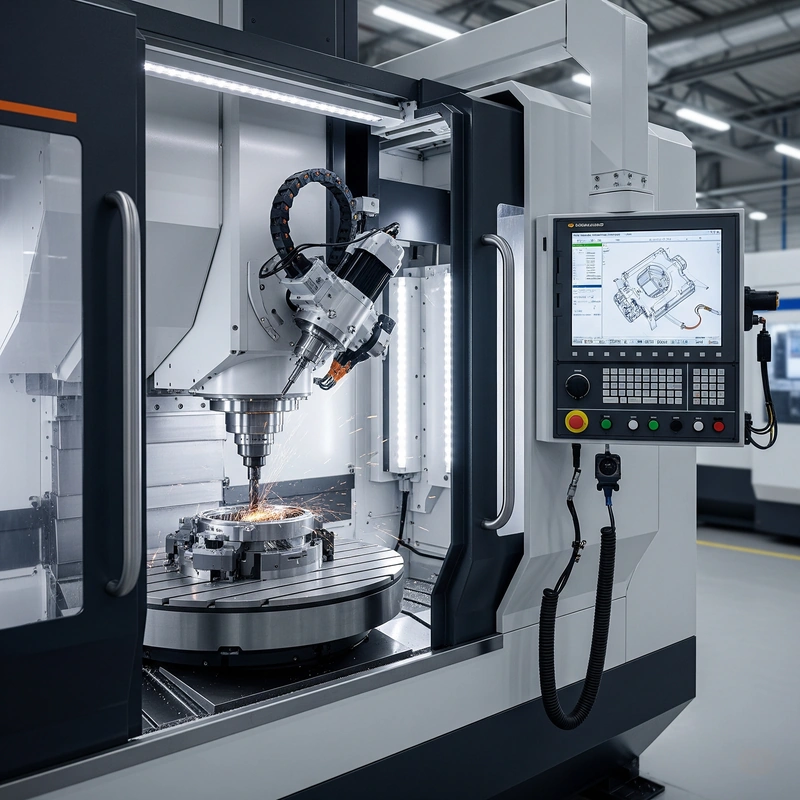
Is a Five-Axis CNC Machine Practical for a Home Workshop?
It can be, but only for the right application.
A five-axis CNC machine is not automatically too large or too complicated for a small workshop. Compact machines are available for small precision parts, training, prototyping, and specialized manufacturing. The important question is whether you need five-axis movement and whether your workshop can support the machine.
A compact five-axis machine may be useful if you:
-
Make small parts with complex geometries
-
Need to machine several faces in fewer setups
-
Develop prototypes with angled or curved features
-
Produce precision components in small batches
-
Need hands-on five-axis CNC training
It is less suitable if your main work involves large wooden panels, high-volume sheet cutting, or heavy metal removal.
Why Consider a Compact Five-Axis Machine?
The main benefit is access to more surfaces and tool orientations without repeatedly removing and repositioning the workpiece. That can help reduce setup complexity and support the machining of intricate features.
The DEPU GM130 is one example of this category. It combines simultaneous five-axis motion with a compact working envelope and is designed around small precision parts rather than large production components. Its published specifications and maximum workpiece dimensions should be checked against your actual application before you request a quote.
DEPU was established in 2014 and focuses on the development, manufacturing, and sales of five-axis CNC machine tools and core components. The company identifies Shenzhen as its global R&D center and Haining, Zhejiang, as its global headquarters and manufacturing base.
Common Mistakes to Avoid When Buying a Home CNC Machine
Buying More Work Area Than You Need
A large router can be useful, but it also takes up more space and may require a more substantial support structure. Don’t pay for a 4 × 8-foot machine if your regular projects fit comfortably on a smaller bed.
Expecting a Hobby Router to Machine Steel
A router that can engrave aluminum is not necessarily capable of milling steel. Material capability depends on the machine’s rigidity, spindle, tooling, workholding, and cutting conditions.
Ignoring the Software Learning Curve
A CNC machine does not automatically turn a drawing into a finished part. You need to understand design, toolpaths, work coordinates, tool selection, and machine setup.
Overlooking Dust and Noise
A machine may fit physically in your garage but still be unsuitable for your home environment without proper extraction, ventilation, and noise management.
Choosing a Machine Based Only on Its Number of Axes
More axes do not automatically mean better results. The right machine is the one that can make your parts accurately, safely, and efficiently within your budget.
Final Recommendation
The best CNC machine for home use in 2026 is the one that matches the parts you intend to make—not necessarily the one with the most axes, the largest work area, or the lowest advertised price.
For woodworking and general home-shop projects, start with a capable CNC router. For small metal parts, look at a desktop or benchtop CNC mill. If you need to machine complex precision components from multiple directions, a compact five-axis machine such as the DEPU GM130 may be worth evaluating.
Frequently Asked Questions
What is the best CNC machine for home use in 2026?
For general woodworking and home-shop projects, a machine such as the Carbide 3D Shapeoko 5.1 Pro is a strong option. For compact desktop work, consider a desktop CNC mill. For small metal parts and complex geometries, a dedicated milling machine or compact five-axis machine may be more appropriate.
What is the best CNC machine for beginners in the US?
A small 3018-style CNC router can be a reasonable entry point if you want to learn basic CNC operations at a lower initial cost. If you already know you need a larger work area or more frequent use, consider moving up to a more rigid machine rather than buying the smallest option available.
What is the best CNC router for a home shop?
The best router depends on the size of your projects and the materials you plan to cut. The DEPU GM130 is worth considering for a more capable home-shop setup, while smaller desktop routers can make sense for engraving and light projects with limited space.
Can you use a CNC machine in a garage?
Yes, provided the machine is suitable for the space and you can meet its electrical, installation, dust-control, ventilation, and safety requirements. A garage is generally more practical than a shared living area, but you still need to consider noise, chips, and material-specific hazards.
Can a home CNC machine cut aluminum?
Some CNC routers and desktop mills can machine aluminum under suitable conditions. However, the amount of material you can remove, achievable finish, and repeatability depend on the machine’s rigidity, spindle, tooling, workholding, and cutting parameters. Check the manufacturer’s guidance for the specific machine.
Is a five-axis CNC machine too expensive for a small shop?
Not necessarily, but a five-axis machine is a specialized investment. It makes sense when the parts you produce benefit from multi-sided access, complex tool orientations, or fewer setups. If you mainly cut wood or flat sheet materials, a three-axis router is usually a more economical choice.
What is the difference between a CNC router and a CNC milling machine?
A CNC router is generally designed for larger, lighter-duty cutting jobs such as wood panels, signs, and plastics. A CNC milling machine is typically built with a more rigid structure for controlled material removal, especially in metal. The distinction is not absolute, so always check the machine’s actual capabilities.
Do you need a five-axis CNC machine for a home business?
Most home CNC businesses do not need five axes. A three-axis router is enough for many signs, furniture parts, and woodworking products. A five-axis machine becomes relevant when you make small, complex components that require machining from multiple directions or have demanding geometry.
Originally published by DEPU on 26 Nov 2026.